inkcap
Publishes a MANUAL.md as a one-page manual site, with the files an agent
expects next to it. Made for GitHub Pages; any static host works.
An inkcap is the mushroom whose cap melts into a black ink that people once
wrote with. As a name it is a small imprint: a repo's MANUAL.md goes in,
and out comes the finished page in the tool's own accent, the machine
editions an agent reads instead of the page, and a "Published with inkcap"
line at the foot.
$ npm install --save-dev inkcap
$ npx inkcap buildGive this repository a manual site with inkcap.
1. Read https://inkcap.io/llms-full.txt.
2. If there is no MANUAL.md, write one from the README: the Install and
"Or hand it to your agent" blocks before the first ##, then Overview,
Install and Quickstart.
3. Create site/ with package.json and inkcap.config.mjs as the manual
describes, and run `npx inkcap build` there.
4. Add the GitHub Pages workflow from the Hosting section.
5. Show me dist/index.html before you commit anything.Overview
The manuscript is the API. inkcap reads what is in the repository and prints everything it can from it. Nothing is required beyond one Markdown file; everything else appears when it is present and is left out when it is not.
There is no framework: one Node script, marked at build time, and the only
JavaScript shipped is a copy button, the live star count, and the line that
opens a disclosure when a link points at it. This page is a README printed
that way.
Use
$ npx inkcap build
built dist/index.html  44.03 kB  ·  8 sections  ·  23 disclosures  ·  v0.15.0
That is the whole requirement. The manual is ./MANUAL.md, or ../MANUAL.md,
or ./README.md, or the file named on the command line. With nothing else, the
page is titled from the # heading, described from the first paragraph, and
printed in the default ink; the repository comes from git remote, the version
from git describe. A plain Markdown file with no conventions in it is a
clean page.
A site that is one of a family keeps a directory, usually site/, next to the
manual, and a config that holds what differs from the other sites:
MANUAL.md
CHANGELOG.md                 optional, rendered at /changelog/
LICENSE                      optional, named in the footer
install.sh                   optional, served at /install and /install.sh
guides/                      optional, one Markdown file per guide
.github/workflows/docs.yml   the GitHub Pages workflow under Hosting, below
site/
  inkcap.config.mjs          everything that differs from the other sites
  package.json               { "devDependencies": { "inkcap": "^0.3.0" } }
  .gitignore                 node_modules, dist
  public/                    copied into dist/ untouched: favicon.svg, ...
  fixture/                   optional, the files a capture sandbox starts with
  stars.json                 written by `inkcap stars`, committed
$ cd site
$ npm install --save-dev inkcap
$ npx inkcap stars # GitHub star count for the masthead, into stars.json
$ npx inkcap # render into dist/
built dist/index.html 44.03 kB · 8 sections · 23 disclosures · v0.15.0package.json for a site is two lines of scripts:
{
  "scripts": {
    "build": "inkcap build",
    "prebuild": "inkcap stars"
  }
}
inkcap build [manual] [--config file] [--frozen]
inkcap stars [--config file]--config names the config, default ./inkcap.config.mjs when it exists. The
directory holding the config is the site directory, where public/,
fixture/, stars.json and dist/ live; without a config, the current
directory is. The directory holding the manual is the root, where everything
else is looked for. --frozen is for release workflows: captures are checked
and never written, and the build fails if any of them drifted.
What the build prints from what is there
Every row is independent. A file that is absent removes its row and nothing
else; there is no empty Guides page, no Questions section that was not
written, no licence line that is a guess.
| Present | Printed |
|---|---|
| a Markdown file | index.html, llms.txt, llms-full.txt, robots.txt, manifest.json |
its # heading | the title, the name, the <h1> |
| its first paragraph | the description, the hero lede, the llms.txt summary |
```console title="Install" before the first ## | a copy block in the hero; the install command in llms.txt and manifest.json |
```console title="Or hand it to your agent" before the first ## | a copy block in the hero; the agent prompt in manifest.json |
## Commands with #### name — one-liner rows | commands in manifest.json, each with its anchor |
## Questions with #### Question? rows | FAQPage JSON-LD on the manual page |
```console capture fences, and the tool on PATH | the outputs refreshed in place, see Captures |
url in the config, or public/CNAME | canonical and Open Graph links, sitemap.xml, the Sitemap line in robots.txt, absolute links in llms.txt and manifest.json |
a GitHub remote, or repo in the config | the masthead link, the star count, the repository in JSON-LD and manifest.json |
| a git tag | the version chip, softwareVersion, the version in manifest.json |
| the manual's last commit | dateModified, updated in manifest.json, lastmod in sitemap.xml |
CHANGELOG.md in the root | /changelog/, and the version chip links there instead of the releases page |
LICENSE in the root | the footer's licence line, license in JSON-LD and manifest.json |
go.mod, Cargo.toml, package.json, pyproject.toml in the root | language in manifest.json |
install.sh, install.ps1, uninstall.sh, uninstall.ps1 in the root | served at /install, /install.sh, /install.ps1, /uninstall.sh, /uninstall.ps1, and listed in manifest.json |
guides/ in the root | a page per guide, its Markdown edition, /guides/, a guides link in the masthead, entries in sitemap.xml, llms.txt and manifest.json |
public/ in the site directory | copied into dist/ untouched; a file there wins over anything the build would write at the same path |
stars.json in the site directory | the star count baked into the masthead |
| an image the manual or a guide shows | the file copied to its path on the site, its size in the <img>, and its .phone crop for small screens |
Writing the manual
MANUAL.md is plain CommonMark. Read on GitHub it is a well-formed document;
inkcap reads a few conventions in it to build the richer components.
| Markdown | Becomes |
|---|---|
| # Title | the page title; the paragraphs under it are the hero lede and sub |
```console title="X" before the first ## | a copy block in the hero |
anything else before the first ## | an opening section without a heading |
| ## Heading | a section, and one entry in the sticky rail |
| ### Heading | a mono subhead |
| #### name — note | a collapsible row; the text after — is the muted tail |
| > quote | an accent callout |
```console | a terminal block: prompts tinted, # comments dimmed, → lines dimmed, → exit N lines warned |
```console title="X" | the same, with a labelled copy bar; the copy drops the $ prompts |
```console capture | the same, and the build refreshes the output under each $ tool … prompt |
```yaml, ```json | a plain block, no shell highlighting |
| | a | b | | a table that scrolls instead of overflowing |
a cell of `cmd` | a command cell |
a cell of ok: 0, warn: 2, crit: 4 | a status cell, tinted by severity |
a cell starting with a digit, ~ or ≈ | a numeric cell |
a list whose items all open with **Bad** or **Good** | contrast pairs; each Bad starts a new pair |
 alone in its paragraph | a figure: sized from the file, linked to the full image, captioned by its title; see Images |
The family sites keep the same spine, which is what makes them read as one: the hero with the Install and "Or hand it to your agent" copy blocks, then Overview, Install, Quickstart, Choosing a command, Commands, the tool's own sections, For agents, Notes. Nothing enforces that; it is a convention worth keeping.
Section ids are the heading slugs (## Choosing a command is
#choosing-a-command). A collapsible row has an id too, the slug of its name
(#### search — … under Commands is #search); when that id is already a
section's or an earlier row's, the section id is prefixed (#commands-search).
A link to a row opens it. If a heading is renamed, add the old id to
legacyAnchors so links in the wild still land.
Questions
A ## Questions section is an ordinary section whose #### rows are
questions, and the blocks under each row are the answer. It renders as
disclosures like any other section; the difference is that the build also
emits the pairs as FAQPage JSON-LD, with the answer's plain text, so a search
engine or an agent can quote the answer without loading the page. Keep the
answers short and self-contained: the first sentence should stand alone.
Images
An image alone in its paragraph is a figure. Its path is relative to the file it is written in, the way GitHub reads it, so the manual shows the same picture on GitHub and on the site.
The alt text says what the picture shows; the title, when there is one, is the
caption under it. The build copies the file to the same path on the site,
writes its width and height into the <img> so the page does not jump while
it loads, and links the figure to the full-size file, so a screenshot scaled
to the column can still be read. PNG, JPEG, GIF, WebP and SVG are sized from
their headers.
A file beside it named with .phone before the extension
(docs/screens/desk.phone.webp) is served instead on small screens: a crop
of the part that matters, rather than the whole screen at a third of its size.
A figure in the hero, after the opening paragraphs, loads at once; every other
figure loads as it nears the screen. An image inside a sentence stays inline.
A path that lands in public/ is served where public/ puts it. A file that
is missing is left as written, and the build names it.
Guides
A guide answers one question a reader would search for, in a few hundred words, and links to the manual for anything the manual already says. Guides are the knowledge base and they are deliberately light: one Markdown file each, beside the manual, no tags, no nesting, no search box.
guides/
  using-recoil-with-worktrees.md
  what-recoil-stores.md
---
title: Using recoil with git worktrees
description: One store, one project, however many worktrees.
cluster: Workflows
reviewed: 2026-09-21
---
**A worktree shares its main clone's memory**, so nothing needs configuring:
recoil maps the worktree back to the clone it was created from.
## Which project does a worktree belong to?
...
## How do I keep a worktree's memories separate?
...title and description are required; the description is the lede and the
one-line summary everywhere the guide is listed. cluster groups guides on
the index page; without it there is one list. reviewed is the date printed
under the title and used as dateModified; without it the guide's last commit
is. The body opens with a bold answer-first sentence and uses question-shaped
## headings: each becomes a section, a rail entry, and a FAQPage entry
whose answer is the section's first paragraph. A guide never re-documents a
flag; it links to the manual's anchor.
Every guide is printed as /guides/<slug>/ in the same shell as the manual,
as /guides/<slug>.md verbatim for agents, and listed on /guides/, in the
masthead, in sitemap.xml, llms.txt and manifest.json. Each guide page
carries TechArticle JSON-LD, FAQPage JSON-LD when it has question headings,
and a rel="alternate" link to its Markdown edition.
Captures
Console blocks in the family manuals are verbatim: what the tool printed, not
what someone remembered it printing. Marking a block ```console capture
makes the build keep it that way.
```console capture
$ recoil wake --max-chars 1600
# Recoil Wake · orbit
...
```
Every $ line in a capture block is a command. The build runs the ones whose
first word is the tool's name, in document order, in one sandbox, and replaces
everything under each prompt with what the command printed, plus → exit N
when it exited non-zero. Nothing under a prompt is treated as the author's,
because a tool may print anything, # lines included; an annotation belongs
in the paragraph after the block, or in an unmarked block. Prompts whose
first word is anything else, curl … | sh, brew, make, cd, are printed
as written and never run. Long-running or networked commands are simply not
marked.
The sandbox is a fresh directory at a fixed path, /tmp/<name> by default,
so paths in the output are stable from one run to the next. HOME and the
XDG_* directories point at a fresh /tmp/<name>-home, so a tool that
keeps state never opens the author's own; NO_COLOR, TERM=dumb and
COLUMNS=80 are set; everything else in the environment is inherited. When
the site directory has a fixture/, its contents are copied into the
sandbox first. The captures config runs setup commands, adds environment
and PATH entries, and masks unstable strings in the output:
captures: {
  cwd: '/tmp/orbit',                       // the sandbox, default /tmp/<name>
  setup: ['git init -q', 'git add -A', 'git commit -qm init'],
  env: { RECOIL_VERBOSE: '0' },
  path: '../bin',                          // prepended, relative to the site directory
  masks: [[/\b\d+ms\b/g, '0ms']],          // [pattern, replacement], applied in order
  timeout: 30000,                          // per command, milliseconds
}
The build refreshes captures only when the tool is on PATH. It never is on
GitHub Pages, so a Pages build prints the committed output; the refresh
happens on the author's machine, the manual is rewritten in place, and
git diff is the review. inkcap build --frozen never writes: it runs the
captures, prints which blocks drifted, and exits non-zero, which is the check
a release workflow wants. Guides take captures the same way.
Agent editions
Every page has a plain-text twin, and the site describes itself in the files an agent looks for first. They are derived from the same Markdown as the page, so they cannot disagree with it.
| File | What it is |
|---|---|
| /llms.txt | the short index: the description, the install command, every section and guide with a one-line summary, the links |
| /llms-full.txt | the manual, verbatim |
| /guides/<slug>.md | each guide, verbatim |
| /manifest.json | the site as data, below |
| /sitemap.xml | every page with its lastmod |
| /robots.txt | allows every crawler, names the AI crawlers so a later change is deliberate, and points at the sitemap |
/install, /install.sh, /install.ps1, /uninstall.sh, /uninstall.ps1 | the root's installer scripts |
Each page carries JSON-LD in its head, SoftwareApplication on the manual,
TechArticle on a guide, FAQPage where there are questions, and a
<link rel="alternate" type="text/markdown"> to its Markdown twin. None of
that changes what a reader sees, so it is all on by default; robots,
sitemap, manifest, jsonld and editions set to false in the config
switch each off.
manifest.json is the site as one object, for a registry such as
chain.sh or a skill that installs tools to read. Absent
facts are absent keys.
{
  "inkcap": 1,
  "name": "recoil",
  "tagline": "local-first memory for coding agents",
  "description": "Local-first memory for coding agents.",
  "url": "https://recoil.sh",
  "repo": "https://github.com/1broseidon/recoil",
  "version": "v0.1.1",
  "license": "MIT",
  "language": "Go",
  "updated": "2026-09-21",
  "install": {
    "command": "curl -fsSL https://recoil.sh/install | sh",
    "page": "https://recoil.sh/#install",
    "scripts": { "sh": "https://recoil.sh/install", "ps1": "https://recoil.sh/install.ps1" }
  },
  "agent": "Install recoil and set it up in this repo for me.\n1. Run: curl -fsSL https://recoil.sh/install | sh\n…",
  "manual": {
    "html": "https://recoil.sh/",
    "markdown": "https://recoil.sh/llms-full.txt",
    "index": "https://recoil.sh/llms.txt"
  },
  "sections": [
    { "id": "overview", "label": "Overview", "summary": "…", "url": "https://recoil.sh/#overview" }
  ],
  "commands": [
    { "name": "wake", "summary": "Bounded starter context", "url": "https://recoil.sh/#wake" }
  ],
  "guides": [
    {
      "slug": "using-recoil-with-worktrees",
      "title": "Using recoil with git worktrees",
      "description": "One store, one project, however many worktrees.",
      "cluster": "Workflows",
      "reviewed": "2026-09-21",
      "url": "https://recoil.sh/guides/using-recoil-with-worktrees/",
      "markdown": "https://recoil.sh/guides/using-recoil-with-worktrees.md",
      "questions": ["Which project does a worktree belong to?"]
    }
  ]
}
inkcap is the shape's version; it changes only when a key changes meaning.
install.command is the hero's Install block with the prompts dropped;
install.scripts and install.uninstall are the installer scripts served
from the root; agent is the "Or hand it to your agent" block; commands
are the rows of the Commands section; questions are the rows of the
Questions section; sections and guides carry the same one-line summaries
as llms.txt.
Configuration
inkcap.config.mjs exports one object. Every key is optional: a key sets
what the build would otherwise derive, or switches off something it would
otherwise print.
export default {
  name: 'cymbal',
  url: 'https://cymbal.sh',
  repo: '1broseidon/cymbal',
  tagline: 'code navigation for coding agents',   // <title> is "name — tagline"
  built: 'Built with tree-sitter and SQLite',      // the footer's third item
  accent: {
    light: { accent: '#34558C', soft: '#E3E9F3' },
    dark: { accent: '#8AAEE0', soft: '#1A2436' },
    terminal: { prompt: '#7E9FD4', key: '#A8C2EA' },
  },
}| Key | Meaning | Without it |
|---|---|---|
| name | the tool's name | the # heading |
| url | the site's origin | public/CNAME; otherwise no canonical, Open Graph or sitemap |
| repo | owner/name on GitHub | the origin remote; otherwise no masthead link or star count |
| tagline | completes the <title> | the first sentence of the lede when it is short, else the name alone |
| built | the footer line after the licence | omitted |
| license | the footer's licence line, MIT | read from LICENSE; otherwise omitted |
| language | language in manifest.json | read from go.mod, Cargo.toml, package.json, pyproject.toml; otherwise omitted |
| accent | the one part of the stylesheet that is the site's own: light and dark accent with their soft tints, and the terminal prompt and quoted-string tints; any missing value keeps the default | the default ink |
| manual | path to the manual, relative to the site directory | ./MANUAL.md, ../MANUAL.md, ./README.md, in that order from the site directory |
| changelog | path to a Keep-a-Changelog file | CHANGELOG.md in the root |
| guides | path to the guides directory | guides/ in the root |
| version | the version chip | git describe --tags |
| ogImage | site-relative path of the Open Graph image | no image tags |
| legacyAnchors | { '#old': '#new' }, remapped before the page settles | |
| moved | { '/old/path': '/#anchor' }; when set, a 404.html is written that carries the map, for hosts with no server-side redirects | no 404.html |
| redirects | the literal contents of a _redirects file, for hosts that honour one | no _redirects |
| llmsExtra | extra lines for the Links section of llms.txt | |
| notFoundExtra | a sentence added to the 404 page | |
| family | { label, href }, the footer's far link; false removes it | chain.sh, the family inkcap was made for |
| captures | the capture sandbox, see Captures | the defaults there |
robots, sitemap, manifest, jsonld, editions | false switches that output off | all on |
out, public, stars | output, assets and star-count paths | dist, public, stars.json |
What comes out
dist/
  index.html            the manual
  llms.txt              the short index for agents
  llms-full.txt         MANUAL.md, verbatim
  manifest.json         the site as data
  robots.txt            allow-all, AI crawlers named, sitemap linked
  sitemap.xml           when the url is known
  changelog/index.html  when the root has a CHANGELOG.md
  guides/index.html     when the root has guides/
  guides/<slug>/index.html
  guides/<slug>.md
  install, install.sh, install.ps1, uninstall.sh, uninstall.ps1
                        when the root has them
  404.html              when `moved` is set
  _redirects            when `redirects` is set
  ...                   everything from public/
Every page carries a <meta name="generator" content="inkcap x.y.z"> tag
and the "Published with inkcap" line in its footer. The masthead's star count
is baked in from stars.json and refreshed from the GitHub API on each visit,
so the page stays current between builds.
Hosting
The output is a static directory. GitHub Pages is the home it is made for:
the workflow below is the whole deployment, saved as
.github/workflows/docs.yml, with the repo's Pages source set to GitHub
Actions and the custom domain set in the repo's Pages settings. The version
chip comes from git tags, so it needs the full history and a run on each
release; the star count is fetched with the workflow's own token and kept
live by the page itself. A release published by another workflow with the
default GITHUB_TOKEN does not fire release: published; that workflow can
run gh workflow run docs.yml instead.
name: Deploy Docs

# example.sh is a GitHub Pages site printed by inkcap from MANUAL.md. The
# version chip comes from git tags, so the workflow also runs when a release
# is published; the star count is baked in as a fallback and kept live by
# the page itself.
on:
  push:
    branches: [main]
    paths: ['MANUAL.md', 'CHANGELOG.md', 'LICENSE', 'guides/**', 'install.sh', 'site/**', '.github/workflows/docs.yml']
  release:
    types: [published]
  workflow_dispatch:

permissions:
  contents: read
  pages: write
  id-token: write

concurrency:
  group: pages
  cancel-in-progress: false

jobs:
  build:
    runs-on: ubuntu-latest
    steps:
      - uses: actions/checkout@v7
        with:
          fetch-depth: 0 # the version chip comes from `git describe --tags`
      - uses: actions/setup-node@v7
        with:
          node-version: 24
          cache: npm
          cache-dependency-path: site/package-lock.json
      - name: Install
        run: cd site && npm ci
      - name: Build
        run: cd site && npm run build
        env:
          GITHUB_TOKEN: ${{ secrets.GITHUB_TOKEN }} # star count, never fails the build
      - uses: actions/configure-pages@v4
      - uses: actions/upload-pages-artifact@v3
        with:
          path: site/dist

  deploy:
    environment:
      name: github-pages
      url: ${{ steps.deployment.outputs.page_url }}
    runs-on: ubuntu-latest
    needs: build
    steps:
      - id: deployment
        uses: actions/deploy-pages@v4
Any static host serves the same directory. Cloudflare Workers, for
instance, deployed by hand with wrangler deploy from site/:
{
  "name": "example-sh",
  "compatibility_date": "2026-09-01",
  "assets": { "directory": "./dist", "not_found_handling": "none" },
  "routes": [{ "pattern": "example.sh", "custom_domain": true }]
}
A redirects string in the config becomes the _redirects file Workers
honours; a moved map becomes the 404.html GitHub Pages serves.
Printed with inkcap
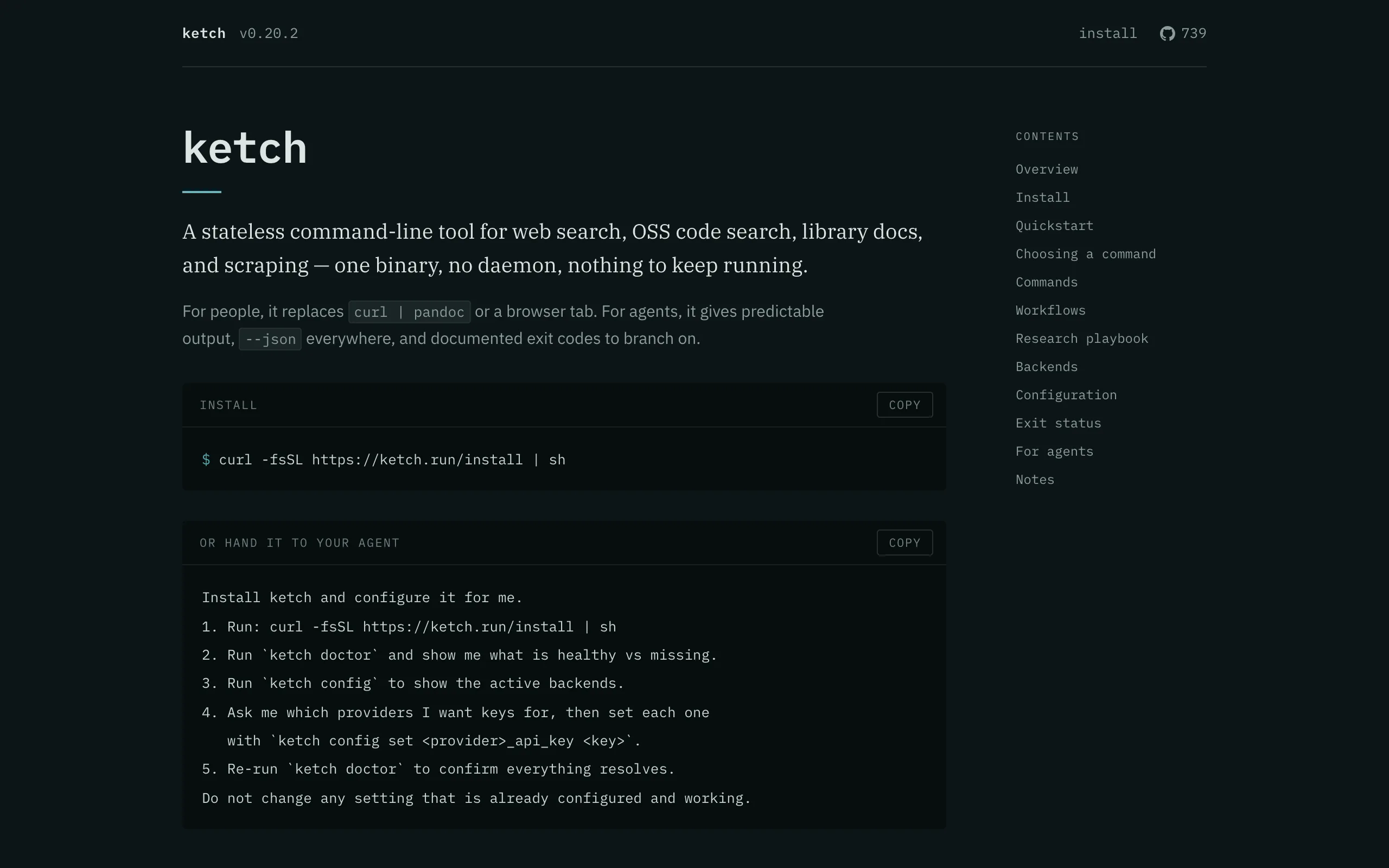
The manuals of the chain.sh tools are printed with inkcap, each from its own repository and in its own accent: ketch.run, cymbal.sh, brainfile.md and recoil.sh.
What inkcap will not do
One manual, its guides, its changelog, and the machine editions of all three. That is the whole shape, and it stays that shape: no themes, no plugins, no client-side application, no search box, no translations, no blog, no nested documentation trees, no second manual page. A tool whose documentation needs more than that needs a different tool.
Development
$ npm testThe tests build a fixture manual that uses every convention and check each output file, build a bare Markdown file with no config, and run a capture against a stand-in tool. Anything that changes the rendered HTML should change the fixture assertions with it.
License
MIT